Users and Accounts
Use the correct identity level when measuring exposure, investigating behavior, or scoping action.
Navigation: Users and Accounts are separate top-level sections in the left navigation.
Configuration and options: Users is identity-centered and aggregates departments, IDP state/groups, application reach, findings, sensitive interactions, data movement, and risk. Accounts is application-account/session centered and adds login method, account/app status, interactions, and account risk.
Role-specific value: Administrators use Users for identity scope and governance; Engineers pivot to Accounts to identify the exact application identity and session context involved.
Verification: A selected user can be connected to the relevant application-specific account and finding without treating the two records as interchangeable.
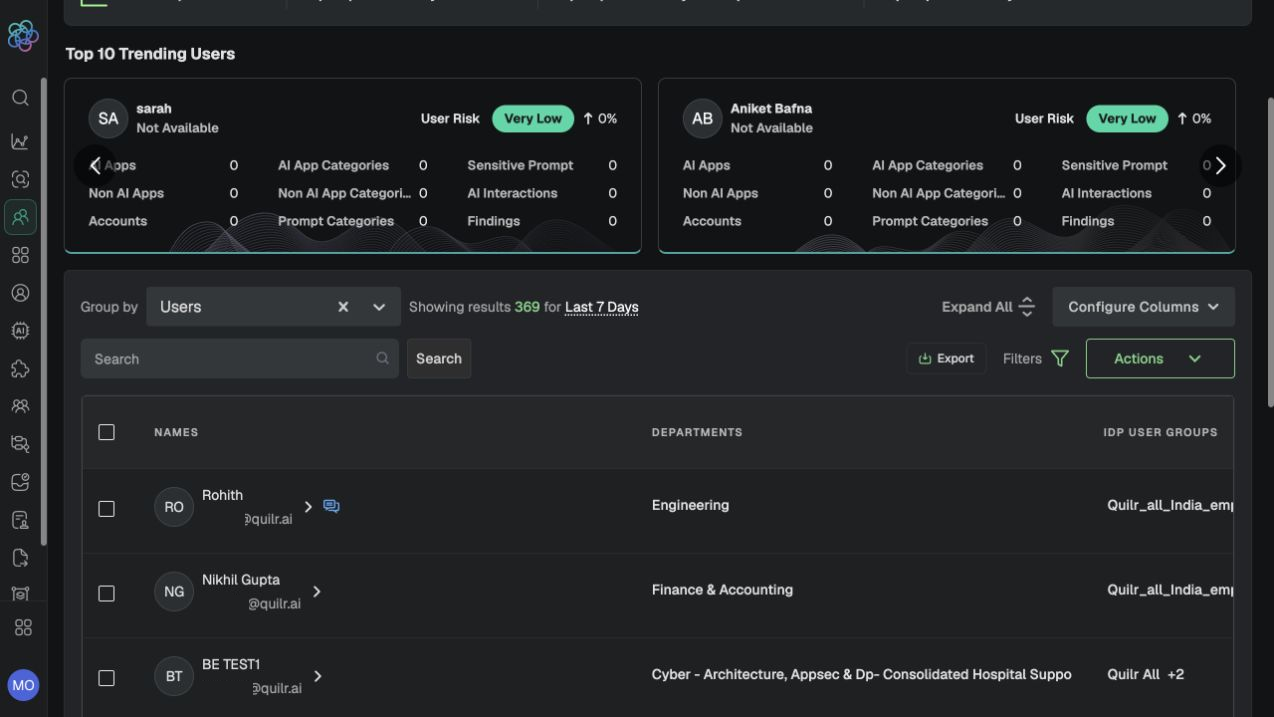
Users view with trending risk, grouping, search, export, filters, actions, and identity fields.
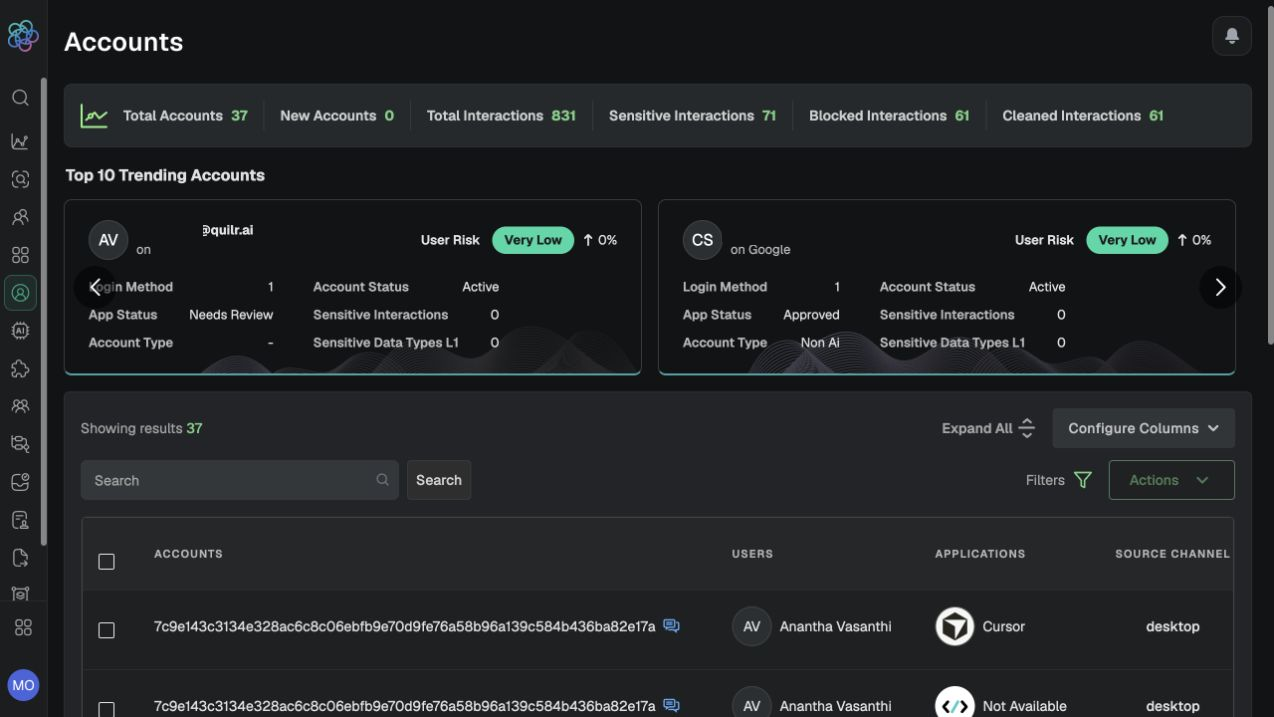
Accounts view with account/application context.
Walkthrough and action
-
Start in Users when the alert begins with a person, department, or IDP group. Set the time range and filters, then review apps, findings, source channel, sensitive interaction, and data movement fields.
-
Open Accounts when the question is how that person authenticated to a specific application. Review application, account/app status, source channel, login method, interaction volume, and outcomes.
-
Pivot to the application and finding before deciding whether the issue is identity risk, an unapproved app/account, policy scope, or a one-time event.
-
Use Actions only after selecting the correct record; preserve the identity/account distinction in case notes.
Expected result: The investigation identifies both the responsible person and the precise application-account context.
Verification: The User and Account views agree on linked user/application and time window, while each contributes its distinct fields.
Continue with Findings and Investigations or the end-to-end workflow.