Audit Logging Console
Attribute configuration and administrative activity by actor and time, then retain evidence for investigation or change review.
Navigation: Audit Log > Audit Logging Console.
Configuration and options: Visible columns include Actor, Timestamp, Event Code, Category, Action, Resource, Status, Severity, and optional Description. Search, Filters, Configure Columns, and Export are available.
Role-specific value: Administrators use audit evidence for governance and access review; Engineers correlate policy/deployment changes with telemetry changes and unexpected behavior.
Verification: A filtered event row identifies who acted, when, what category/action/resource changed, and whether it succeeded.
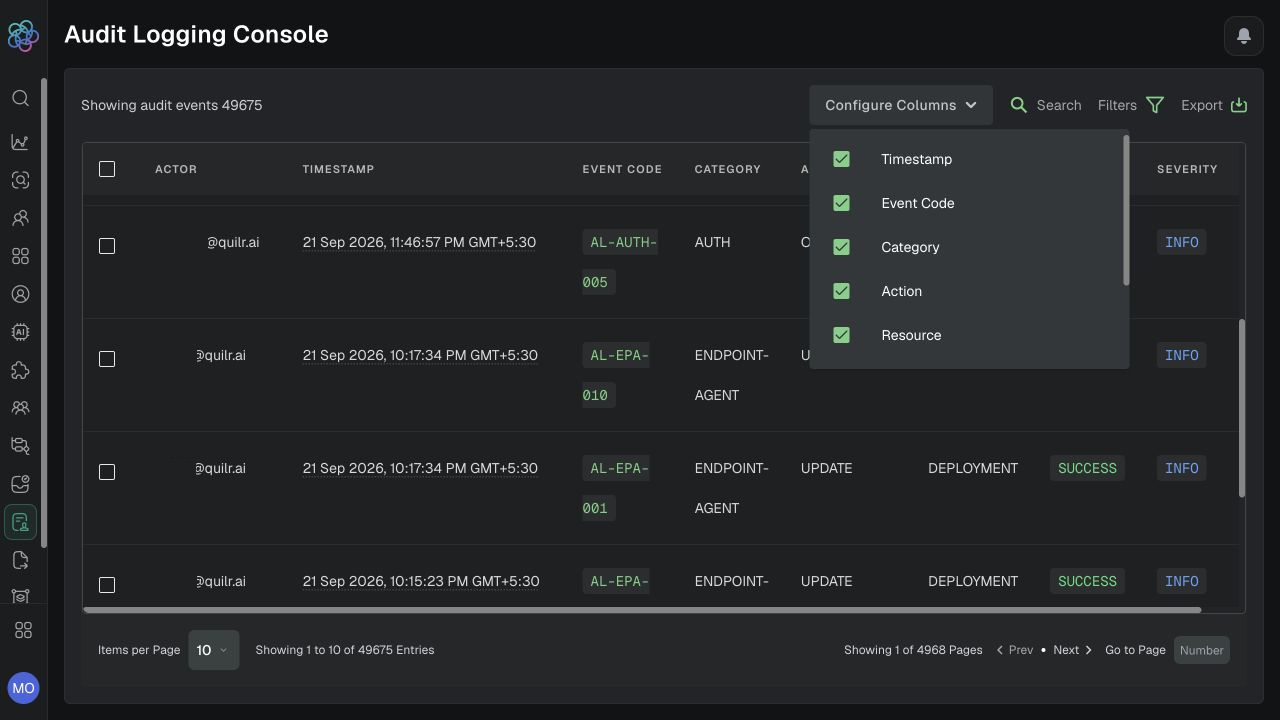
Audit Logging Console with configurable columns.
Investigate an administrative change
-
Set the date range or Date Range Preset around the reported change.
-
Filter Category to
ENDPOINT-AGENT, Action toUPDATE, and Resource toDEPLOYMENTfor the representative deployment-change example. -
Review Actor, Timestamp, Event Code, Status, and Severity. Add Description through Configure Columns if it is relevant.
-
Compare the event time/actor with the saved deployment or policy state and the change record.
-
If the change was unexpected, preserve the event details and escalate through the privileged-access/incident workflow before reverting anything.
Event details: Use the configured row fields, including optional Description. The guide does not establish a separate event-detail drawer; confirm its availability before relying on one.
Export audit evidence
-
Select Export, choose the date range, and review the active-filter summary. The dialog described in the guide states a 14-day maximum.
-
Export CSV. The dialog described in the guide states a maximum of 5,000 rows; verify the current limits before creating the job.
-
Store the file in the approved evidence location and record the filter/date context in the case.
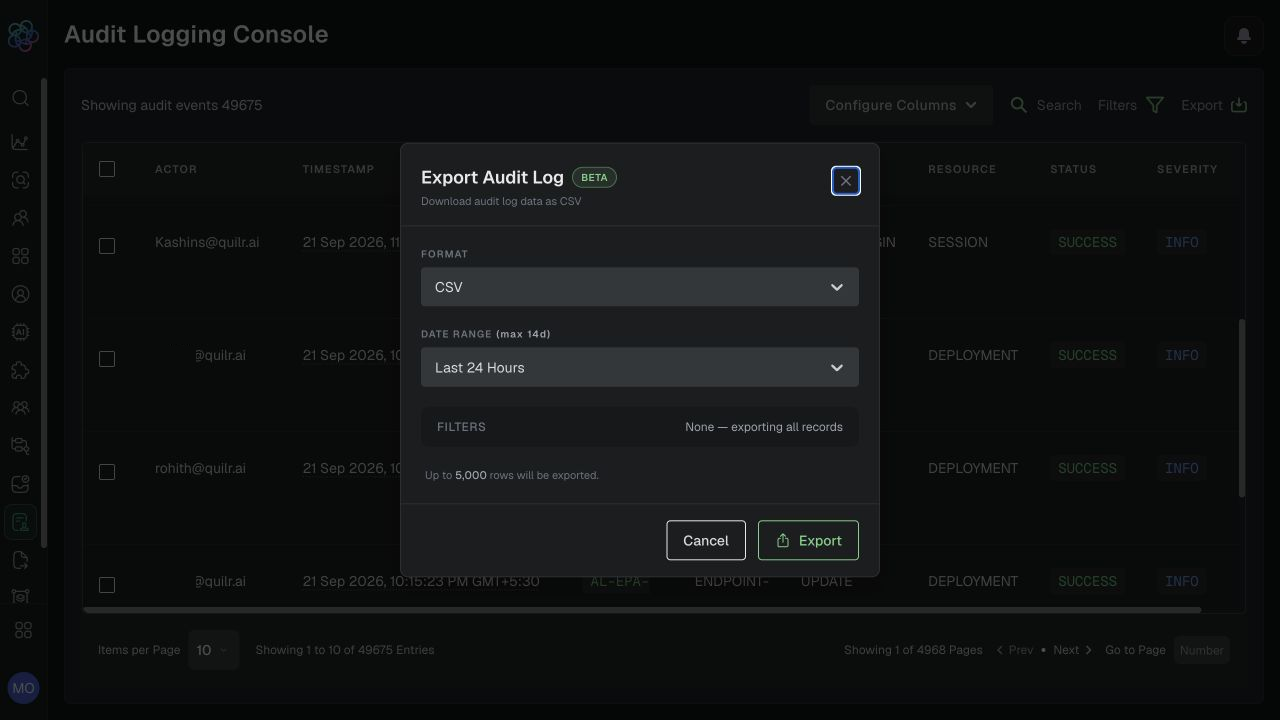
Audit export dialog showing CSV, date range, active filters, and the 5,000-row limit.
Expected result: The team can reconstruct a representative administrative update and preserve its evidence.
Verification: The filtered row and exported CSV agree on actor, time, code, category, action, resource, status, and severity. Audit access itself should be limited to authorized roles.