Policy Configuration and Lifecycle
Create, scope, test, promote, maintain, and retire controls without exposing the full tenant to unvalidated enforcement.
Navigation: Settings > Browser Extension > Detection Configuration for browser controls. Settings > Endpoint > Detection configurations for application guardrails and Group & User Rules.
Configuration and options: Browser controls include name, description, criticality, Monitor/Action mode, status, scenario, mandatory/additional conditions, and actions. Endpoint controls expose per-application guardrails, access control, and group/user scope.
Role-specific value: Administrators own naming, approval, scope, priority, mode, and lifecycle. Engineers test scenario matching, investigate exceptions, and recommend tuning.
Verification: The control appears in the list with the intended status/mode and produces the expected outcome for an in-scope staged group but not an out-of-scope test.
Browser control: sensitive data shared with an AI application
-
Select Add. Enter Quilr Staged Sensitive Data as the Control Name, High as Criticality, a description, Monitor Mode, and Enabled status.
-
Select the scenario “a user shares sensitive data with an AI application.”
-
Review the generated mandatory conditions: Application > Category > is equal to > Generative AI; Data > Sensitive > is equal to > True.
-
Add a staged deployment-group scope through an available User/Smart Group condition if that scope is present in your tenant.
-
Review Configure Actions. In the inspected tenant, action families included Activate Agent, Remediation Action, and Just in Time.
-
Keep the first version in Monitor mode. Save only after the change record contains the owner, scope, expected event, and rollback plan.
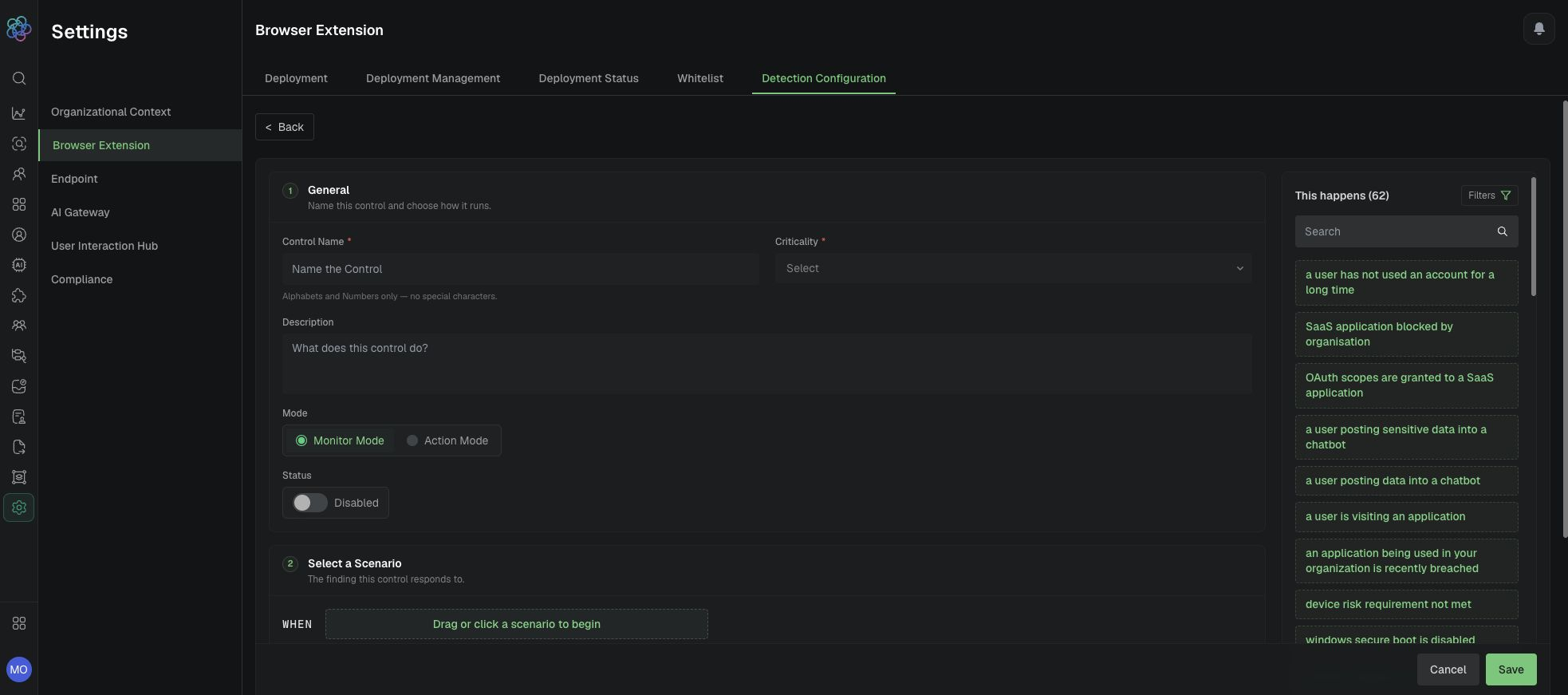
Browser control form with General fields, mode, status, and scenario area.
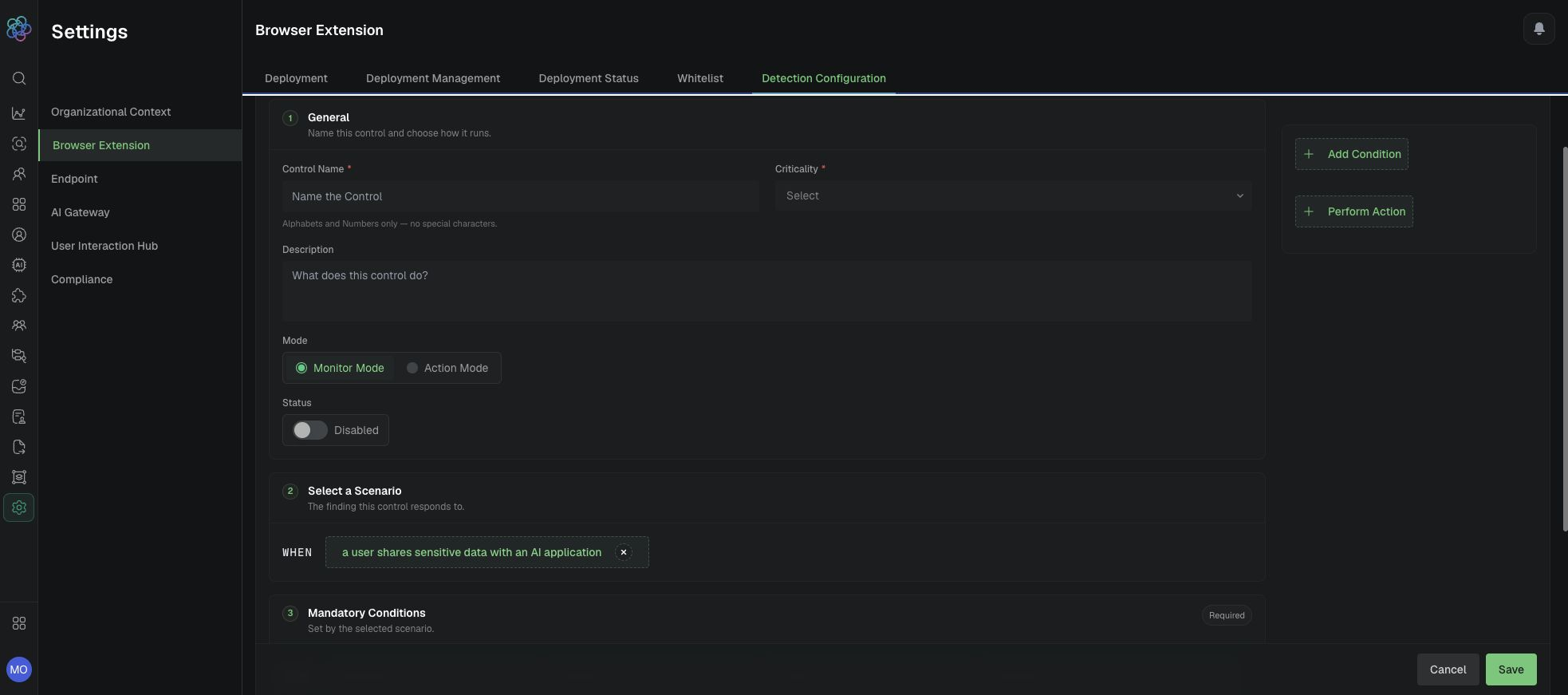
Sensitive-data scenario and generated mandatory conditions.
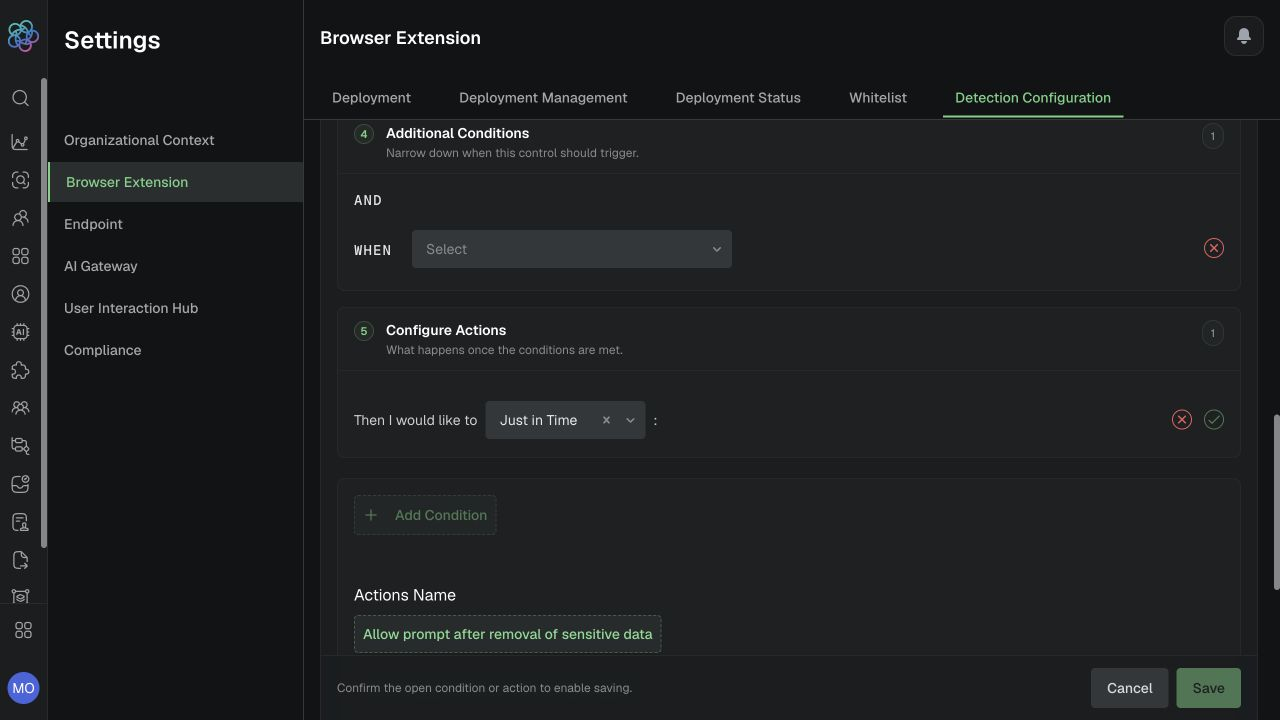
Browser Extension action families and available just-in-time choices.
Endpoint guardrail example
-
Open Endpoint > Detection configurations, locate ChatGPT, and select Guardrails.
-
Enable guardrails for the staged deployment group. Set PII to Justify for coaching; use Block for Auth & Secrets only after approval, or start in Monitor.
-
Open Group & User Rules, scope to the approved staged deployment group, and review any higher-priority rule.
-
If workspace restriction is required, enable Restrict Usage to Approved Workspaces and enter only approved workspace IDs.
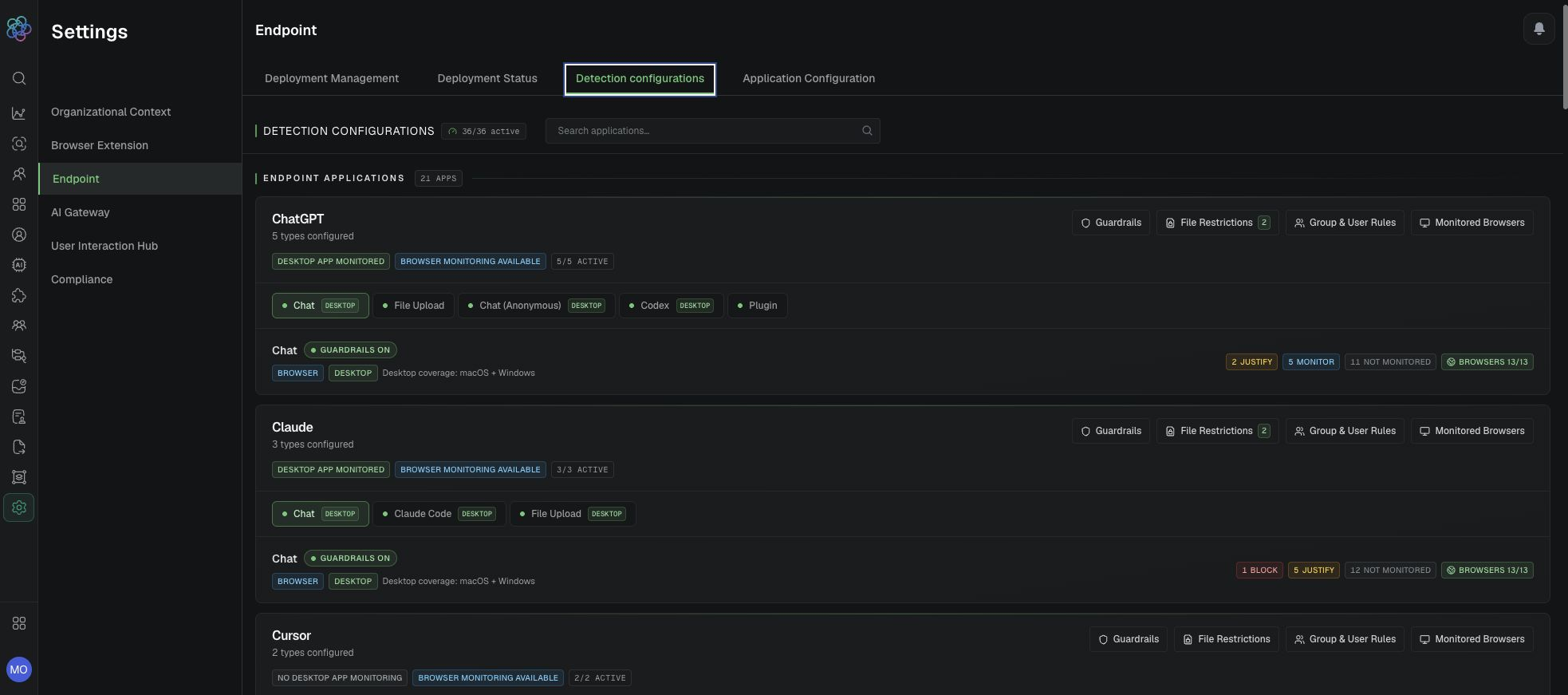
Endpoint application cards and control areas.
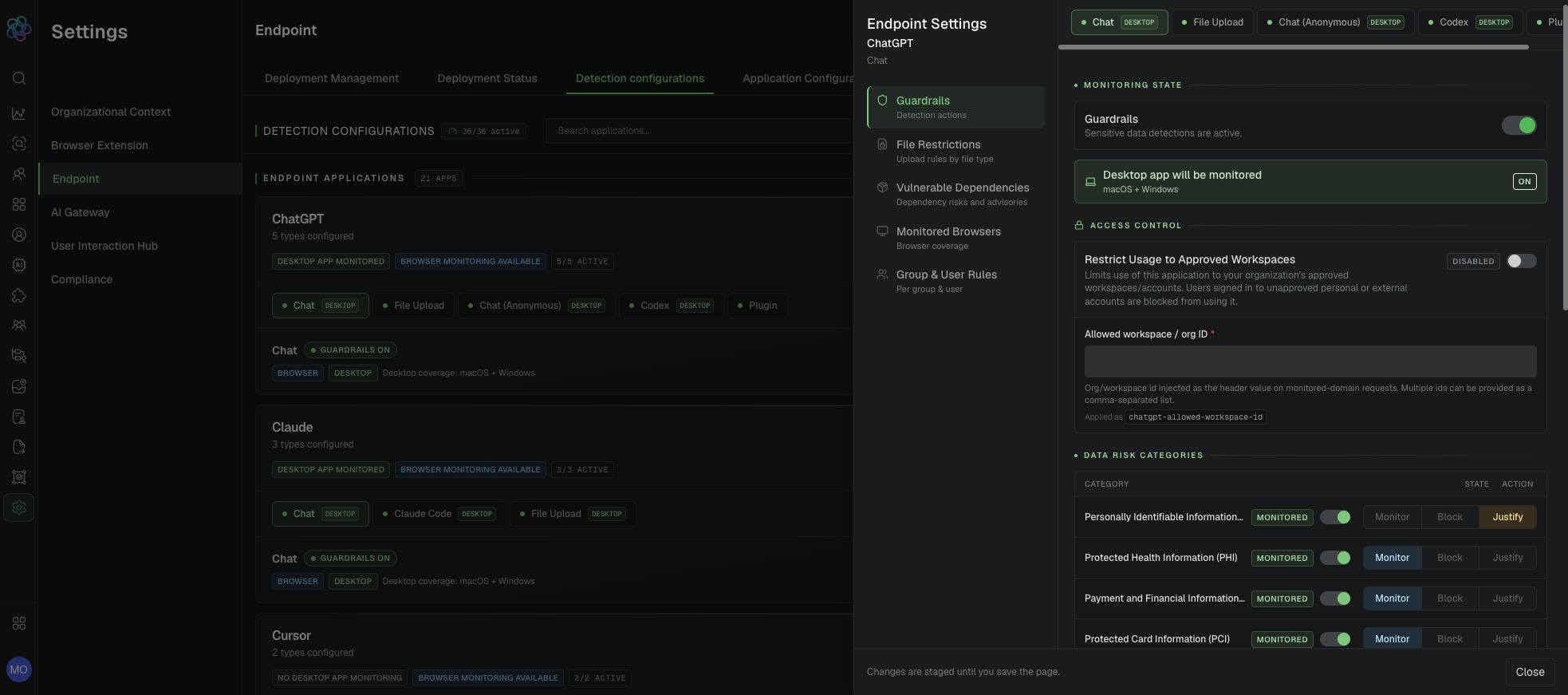
Endpoint application guardrails, access control, and category responses.
Maintain and troubleshoot a policy
Expected result: A named, staged-group scoped, monitor-first control is configured with explicit success criteria.
Verification: Allow propagation, run in-scope and out-of-scope synthetic tests, review the policy row and Audit Log, and confirm the finding and control fields match the saved configuration.
Control composition and lifecycle boundaries
Monitor-first window: Run a new or materially changed control in Monitor for one to two weeks when operational volume permits. Review true positives, false positives, user groups, AI assets, outcomes, and version health before enabling an action. Shorten the window only for an approved urgent risk decision with explicit rollback criteria.
Use Detection Models to validate the matched category and Findings to confirm the resulting action.