Deployment Prerequisites
Deploy the QuilrAI Browser Extension and native Browser Agent manually or centrally through Group Policy, Microsoft Intune, or Jamf Pro.
Central deployment: Open Settings > Browser Extension > Deployment to obtain the tenant-specific configuration. Complete deployment in Group Policy Management, Microsoft Intune, or Jamf Pro.
Manual installation and prerequisites: Follow the QuilrAI installation instructions.
Configuration and options: Choose a computer-side GPO, Intune device policy, or Jamf computer policy. Keep the tenant ID, extension ID, manifest URL, package architecture, Full Disk Access profile, assignment scope, retries, and detection rules under change control.
Role-specific value: Security Administrators own deployment configuration and scope; endpoint and directory administrators implement GPO or MDM assignments; Security Engineers validate policy, process, connectivity, and telemetry.
Verification: Targeted devices receive the extension and native agent, show enterprise-managed policy, run the native process, and appear active in QuilrAI Deployment Status.
Enterprise deployment prerequisites
The enterprise deployment examples use extension ID piajhjohgigijkddhdpgbjdcfhmammbk and manifest URL https://quilr-extensions.quilr.ai/<TENANT_ID>/manifest.xml. Obtain the tenant ID from QuilrAI support or the provisioning administrator. Confirm the current tenant configuration and package URLs before production deployment.
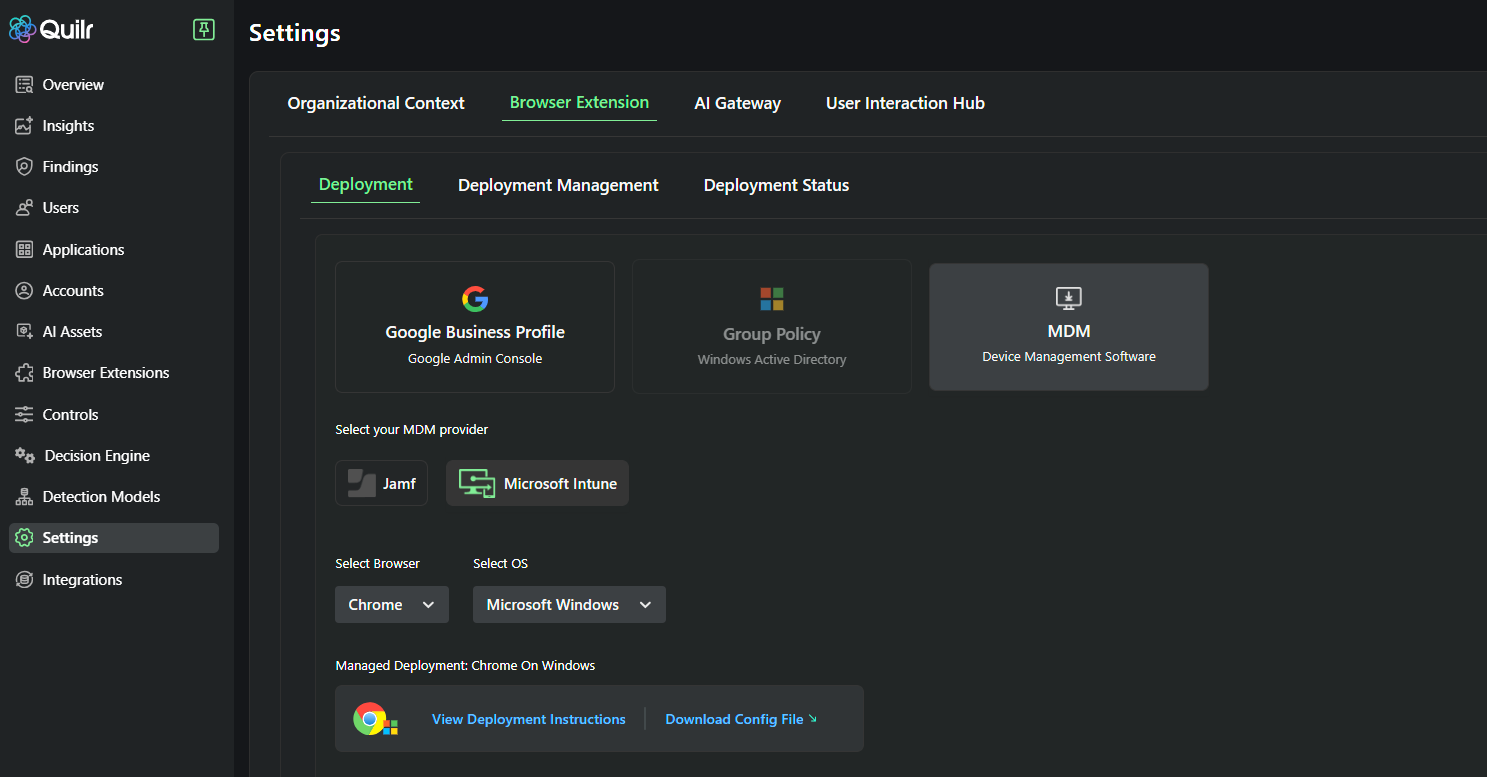
Settings > Browser Extension > Deployment with MDM provider, browser, operating system, deployment instructions, and tenant-specific configuration download.
Choose a deployment method
Endpoint Agent deployment boundary
The GPO and MDM procedures in this guide cover the Browser Extension and native Browser Agent. For the standalone Endpoint Agent, use the tenant-provided package and platform deployment instructions, then configure it in Settings > Endpoint. The guide does not provide a standalone Endpoint Agent silent-install command. Confirm the package with QuilrAI before reusing any Browser Agent commands. See the Endpoint Agent prerequisites.
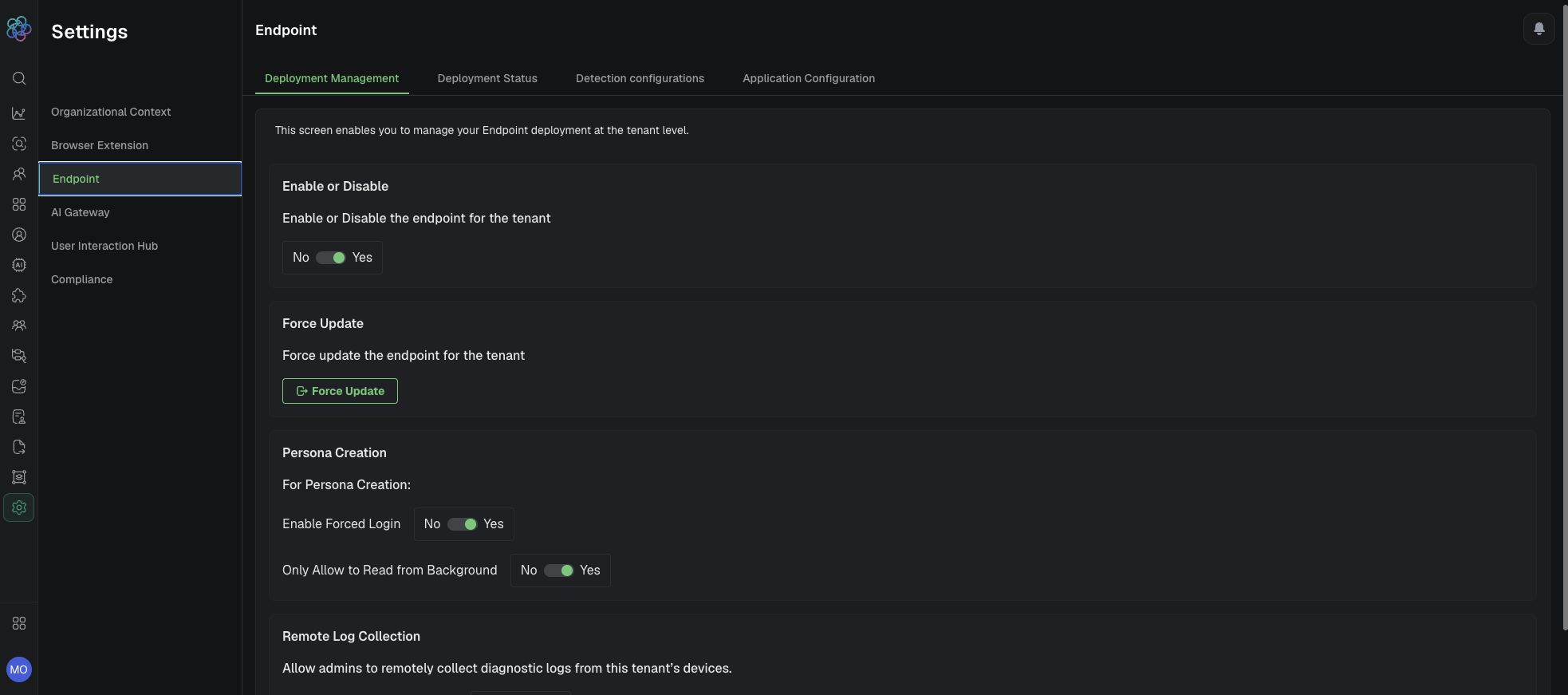
Endpoint Deployment Management controls used after the tenant-approved Endpoint Agent package is deployed.
Expected result: The enterprise deployment is assigned through GPO, Intune, or Jamf with tenant-specific configuration and documented scope.
Verification: Confirm management-platform success, local files and processes, browser policy, QuilrAI Deployment Status, and a safe telemetry event before expanding the assignment.
Continue with deployment validation before expanding the assignment.