Budgets & Usage Limits

V2 console

This card lives in Policy Engine > LLM Gateway at web.quilr.ai/policy. Edits join the shared draft and take effect once you review and publish a revision.

Cap spend in USD, or cap requests and tokens, over a reset period. Count it shared across everyone in scope, or separately per person, application, key, model or credential.
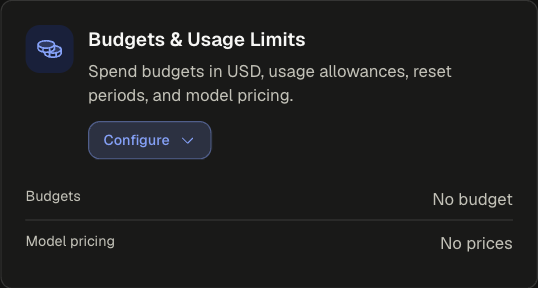
Budgets & Usage Limits card collapsed with the Budgets and Model pricing summary rows

How budgets work​

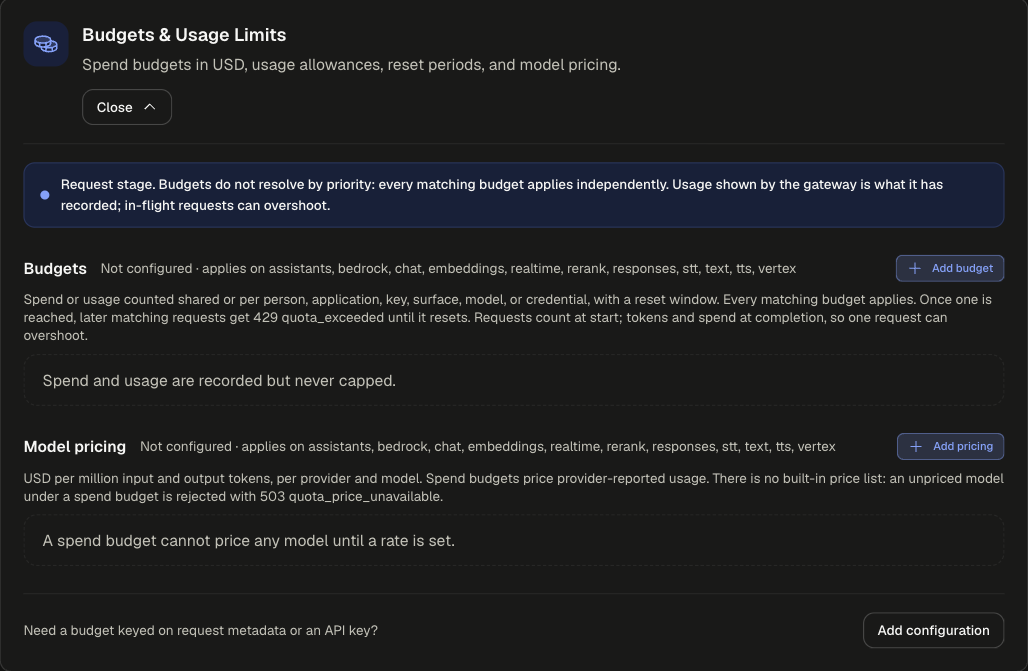
Budgets & Usage Limits card expanded with the request-stage banner, an empty Budgets section, an empty Model pricing section and Add configuration

  • Every matching budget applies. Budgets do not resolve by priority. A request must fit inside all of them.
  • Requests count at the start; tokens and spend count at completion. One in-flight request can carry a counter past its limit.
  • Once a budget is reached, later matching requests get HTTP 429 quota_exceeded until the period resets.
  • Spend needs prices. A spend budget prices provider-reported usage with the rates in Model pricing. With the Policy Engine on, this card is the only price source (prices set under Settings > Models are not used): a model with no rate under a spend budget is rejected with HTTP 503 quota_price_unavailable.
  • With no budget configured, spend and usage are recorded but never capped.

Sections​

SectionWhat it doesApplies onEmpty state
BudgetsSpend or usage counters with a limit and reset window. Add budget.assistants, bedrock, chat, embeddings, realtime, rerank, responses, stt, text, tts, vertexSpend and usage are recorded but never capped.
Model pricingUSD per 1 million input and output tokens, per provider and model. Add pricing.SameA spend budget cannot price any model until a rate is set.

For a budget keyed on request metadata or an API key, use Add configuration at the bottom of the card and finish in the full editor.

Budget settings​

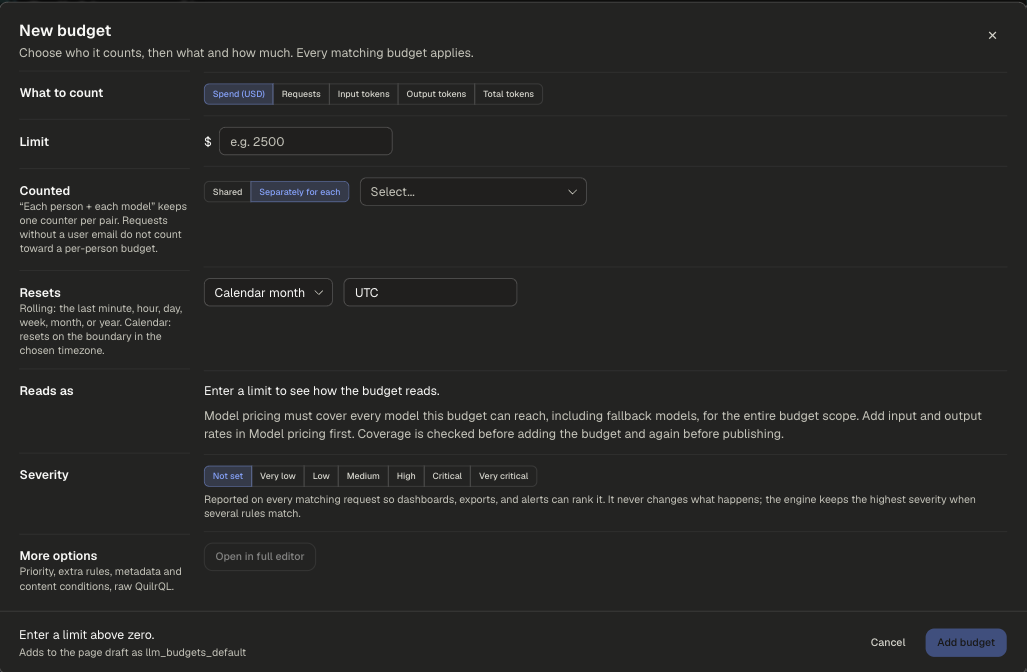
New budget dialog with What to count, Limit, Counted, Resets, Reads as with the pricing coverage note, Severity and More options

SettingOptionsDefaultNotes
Applies toEveryone, People, Smart group, Application, App tag, Requested model, Provider, API surface, Environment, Source network, Except...EveryoneOr pick an application directly. Decides which requests count toward the budget.
What to countSpend (USD), Requests, Input tokens, Output tokens, Total tokensSpend (USD)
LimitA number above zero-USD for spend (for example 2500), a count otherwise (for example 1000000 tokens).
CountedShared, or Separately for each of: Tenant ID, User ID, User email, Application key ID, Application key, Application method key, Application method type, Actual provider, Actual provider label, Actual modelSharedPick several fields for one counter per combination, for example each person + each model. Requests without a user email do not count toward a per-person budget.
ResetsRolling minute, hour, day, week, month or year; Calendar day, week, month or year; Lifetime (no reset)Calendar monthRolling looks back over the last period. Calendar resets on the boundary.
TimezoneIANA timezoneUTCCalendar periods only.
SeverityNot set, Very low, Low, Medium, High, Critical, Very criticalNot setReported only. Never changes the outcome.
More optionsOpen in full editor-Priority, extra rules, metadata and content conditions, raw QuilrQL.

Each budget gets a generated ID that its usage is tracked against. See The Budget ID matters before changing a published budget's measure, period or grouping.

Price every reachable model first

For a Spend (USD) budget, Model pricing must cover every model the budget can reach, including fallback models from routing, for the whole budget scope. Coverage is checked when you add the budget and again before publishing.

Budget groups​

A budget group is the set of requests that share one counter. Two settings shape it:

You wantApplies toCounted
One pool for a whole appApplicationShared
An allowance per person in an appApplicationSeparately for each: User email
An allowance per person per modelEveryoneSeparately for each: User email + Actual model
A cap per API keyEveryoneSeparately for each: Application key ID
A team cap on top of personal capsTwo budgets on the same scopeOne Shared, one per User email

Because every matching budget applies, the tightest one stops the request first.

Model pricing settings​

The Add pricing dialog first asks who the rates apply to (same scope chips as a budget), then opens the editor to set the rates.

SettingNotes
ProviderThe provider the rate is for.
Provider credentialOptional. Price one credential differently from the provider's other credentials.
ModelThe model id as reported by the provider.
Input cost (USD per 1M tokens)Required for spend budgets.
Output cost (USD per 1M tokens)Required for spend budgets.

Rates are scoped like any other setting. The simplest setup is one Everyone configuration listing every model you use.

Examples​

support_copilot_budgetsrequest

runs on requestpriority 500

WhenApplicationisSupport Copilot
Then
Budgets2 budgets
Budget 1 Spend (USD), 500, Calendar month, UTC, separately for each User emailBudget 2 Total tokens, 10,000,000, Rolling week, shared
Model pricing2 models
gpt-4.1 input $2.00, output $8.00 per 1M tokensgpt-4.1-mini input $0.40, output $1.60 per 1M tokens

Each person gets 500 USD a month, and the whole app shares 10M tokens a rolling week. A person under their own budget is still stopped once the team cap is reached.

interns_daily_requestsrequest

runs on requestpriority 600

WhenSmart groupsincludes (ignoring case)Interns
Then
BudgetsRequests, 200, Calendar day, separately for each User email

A usage allowance needs no prices: each intern may send 200 requests a day.

Scoping and precedence​

  • Budgets add up; they never override each other.
  • Every matching Model pricing configuration contributes its rates. Avoid pricing the same model differently in overlapping scopes.
  • Budgets cannot be scoped by Prompt complexity, Prompt text or Tool.

Legacy app setting​

Classic app settings have no USD budget. App-wide request and token limits are in Rate and Token Limits.