Rate, Token & Timeout Limits
This card lives in Policy Engine > LLM Gateway at web.quilr.ai/policy. Edits join the shared draft and take effect once you review and publish a revision.
Cap concurrency, request rate, token volume, tokens per request and provider timeout, for a scope or per model. Limits are enforced at the gateway before the provider call.
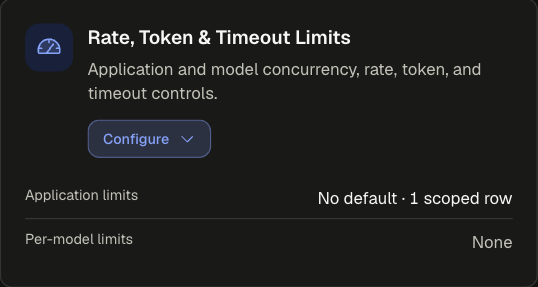
How limits combine
Limits do not resolve by priority. For each limit, the strictest matching value wins, so a narrower row can tighten a broader one but never loosen it. Window limits compare per second, so 1,000 per minute is stricter than 100,000 per day.
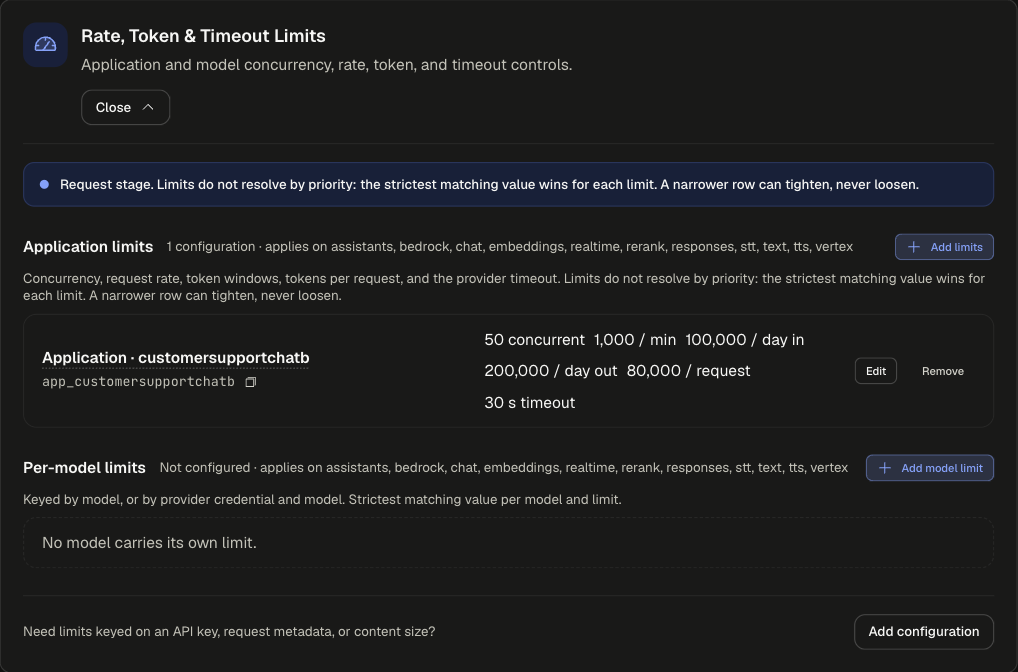
Sections
Both apply on assistants, bedrock, chat, embeddings, realtime, rerank, responses, stt, text, tts and vertex. For limits keyed on an API key, request metadata or content size, use Add configuration and finish in the full editor.
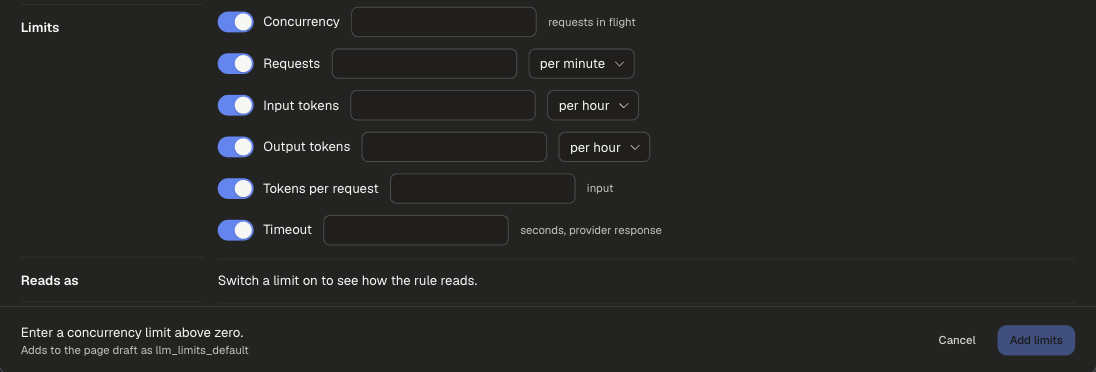
Limit settings
Switch on only the limits you want. A limit left off keeps the value from a broader configuration.
Examples
runs on requestpriority 500
runs on requestpriority 600
Contractors get 100 requests a minute; everyone else in the app keeps 1,000. A narrower row asking for 5,000 per minute would have no effect, because the stricter value always wins.
Scoping and precedence
- Strictest value wins per limit, regardless of priority.
- Limits cannot be scoped by Prompt complexity, Prompt text or Tool.
- For USD caps or allowances that reset on a calendar, use Budgets & Usage Limits.
Legacy app setting
Rate and Token Limits in the app's settings.