Workspace Tools
These tools live in Policy Engine > LLM Gateway at web.quilr.ai/policy, around the twelve control cards.
The workspace header, the request resolver, revision history and the advanced workspace. For the full draft, simulate, replay and publish loop, see Authoring and publishing.
Workspace header
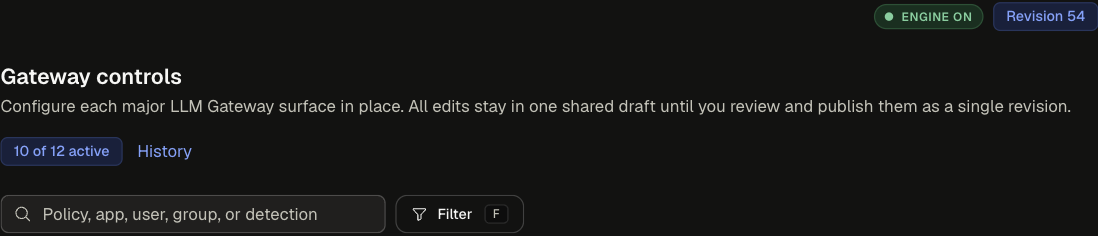
Shared draft, review and publish
Every card edit joins one shared draft. Nothing changes in the gateway until it is published.
- While changes are pending, a bar at the bottom shows the count across surfaces with Discard changes and Review changes.
- Review changes validates the draft and replays it over sampled recorded traffic. The replay reports global counters (blocked, redacted, rerouted, model rejected, rate-limited), never per rule.
- Names the catalog cannot resolve block publishing.
- Publishing creates one immutable revision for all pending changes.
Describe a request
What applies to one request collapses every card to the winning value per control for a request you describe, resolved from the shared draft the way the engine merges it. Filling the form is read-only; nothing is saved.
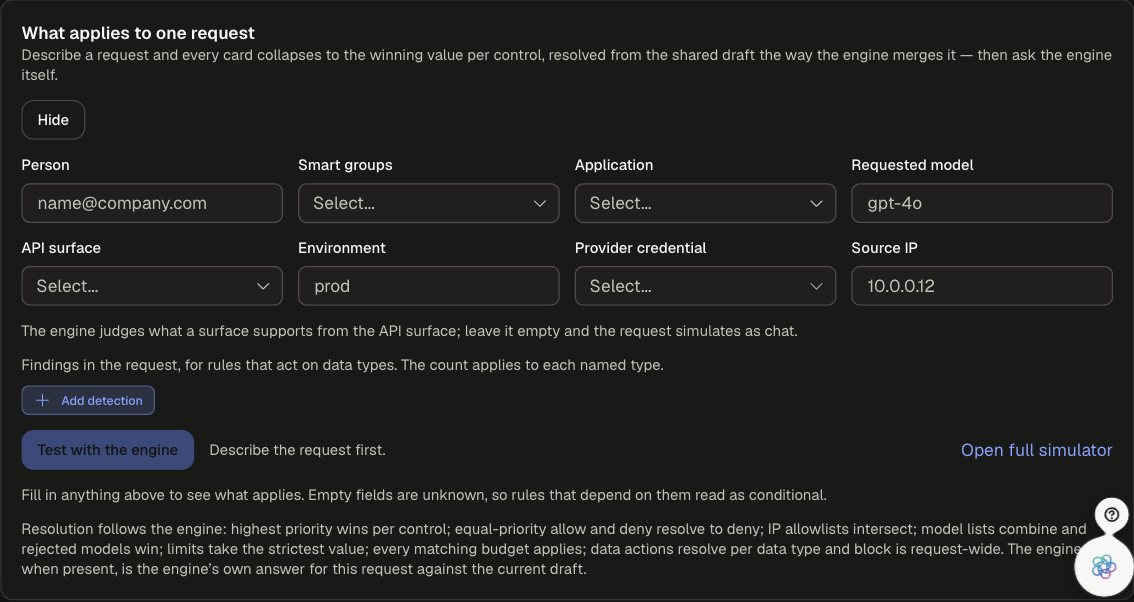
Each card then shows the value in force, the configuration that decided it and why. Values that depend on a field you left empty are tagged conditional.
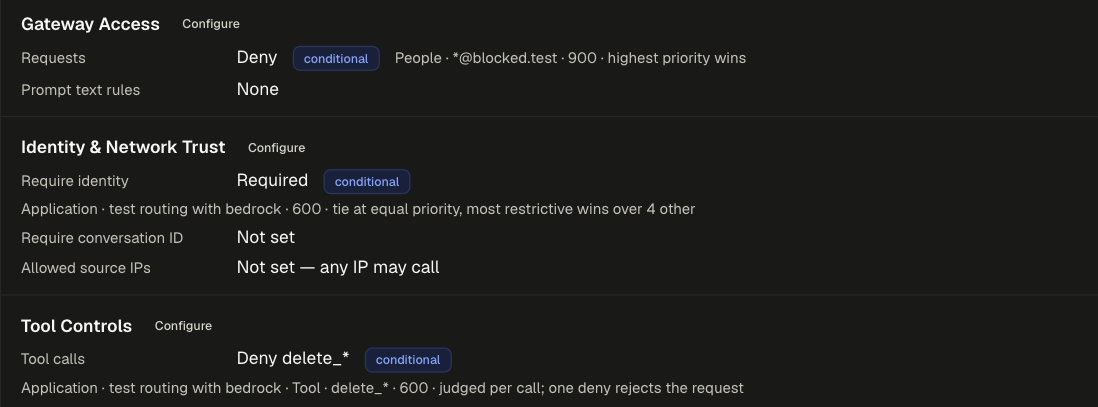
The resolver follows the engine's rules: highest priority wins per control, equal-priority allow and deny resolve to deny, IP allowlists intersect, model lists combine and rejected models win, limits take the strictest value, every matching budget applies, and data actions resolve per data type with block request-wide.
- Test with the engine sends the same request to the engine's simulator against the current draft and shows its answer next to the console's, so any disagreement is visible.
- Open full simulator opens the simulator with the matched policies preselected.
History
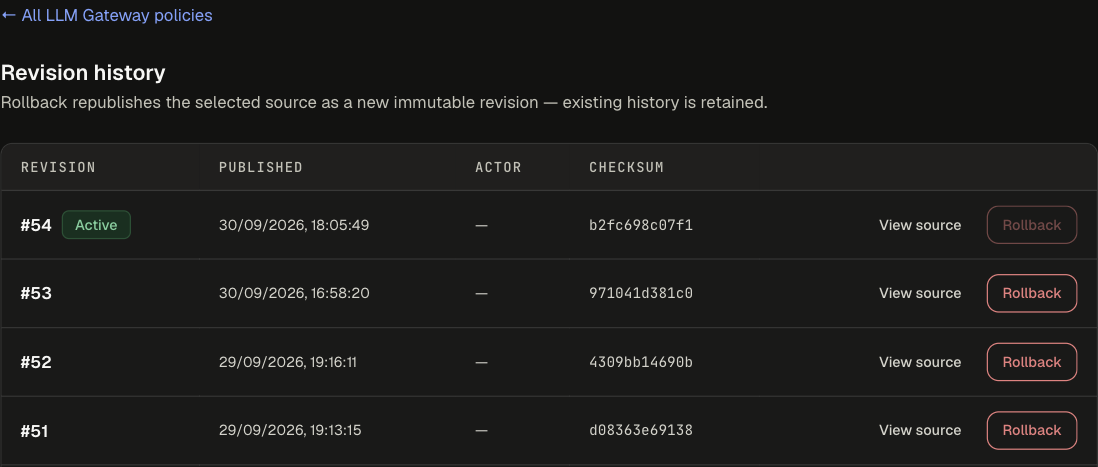
Lists every published revision with its time, actor and checksum. View source shows the revision's QuilrQL. Rollback republishes that source as a new revision, so existing history is kept. See Roll back if needed.
Advanced policies

Policies that the cards cannot represent safely are listed here, below the cards. Card edits never rewrite them.
Advanced workspace opens the source-level editor for the whole LLM Gateway document:
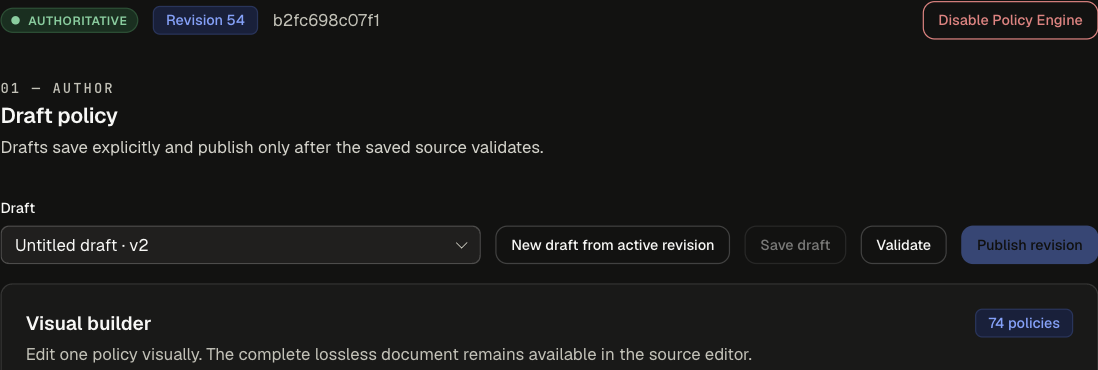

The advanced workspace also carries Disable Policy Engine, which hands the LLM Gateway back to classic app settings. See Switching from settings.